Construction Timesheets: How to Track Crew Hours and Labour Costs on Site
It is Friday afternoon. The foreman has a stack of paper timesheets on the bonnet of the van, half of them filled in from memory, two of them unreadable, and one crew member who swears he was on site on Tuesday. Payroll needs the numbers tonight.
Labour is usually the largest cost on a job you can actually control, and the timesheet is where that cost is recorded. If the hours are guessed, the labour cost is guessed, and so is every decision you make from it. This guide covers what a construction timesheet should capture, how hours become labour cost per task, and how to collect them without chasing people at the end of the week.
What is a construction timesheet?
A construction timesheet is the record of who worked, on which project and task, for how long, and at what rate. Office timesheets track hours per day. On site, the useful version goes one step further: it ties every hour to the task it was spent on, so labour cost can be compared with the budget for that task.
Why paper timesheets cost you money
- They are filled in late. A sheet completed on Friday for the whole week is a reconstruction, not a record. Small errors on every line add up to real money.
- They do not say what the hours were for. "8 hours, Villa project" tells you nothing about whether the concrete crew is ahead or behind budget.
- Nobody checks them until payroll. By then, a disputed day is a week old and nobody remembers it clearly.
- They have to be typed in again. Every hour is written once on site and once more in the office, with a new chance of error each time.
- They are easy to pad. Rounded-up start times and a friend signing someone in are hard to spot on paper.
What a good timesheet captures
- Worker and role: who did the work, and in which trade.
- Project and task: where the hours belong, at task level.
- Start, finish and breaks: recorded at the time, not reconstructed.
- Pay type and rate: hourly, or a day rate.
- Location check: confirmation that the clock-in happened on site.
- Approval: who checked the hours, and when.
Hourly rate or day rate?
Both are common in construction. Hourly pay is simple: hours worked multiplied by the hourly rate. A day rate pays a fixed amount per day on site, whatever the exact hours, and is how many trades and small crews are paid. Your timesheet has to support both, because the same project often has a steel fixer on a day rate and an electrician paid by the hour.
From hours to labour cost per task
Labour cost per task is the number that tells you whether a task is on budget. The arithmetic is simple:
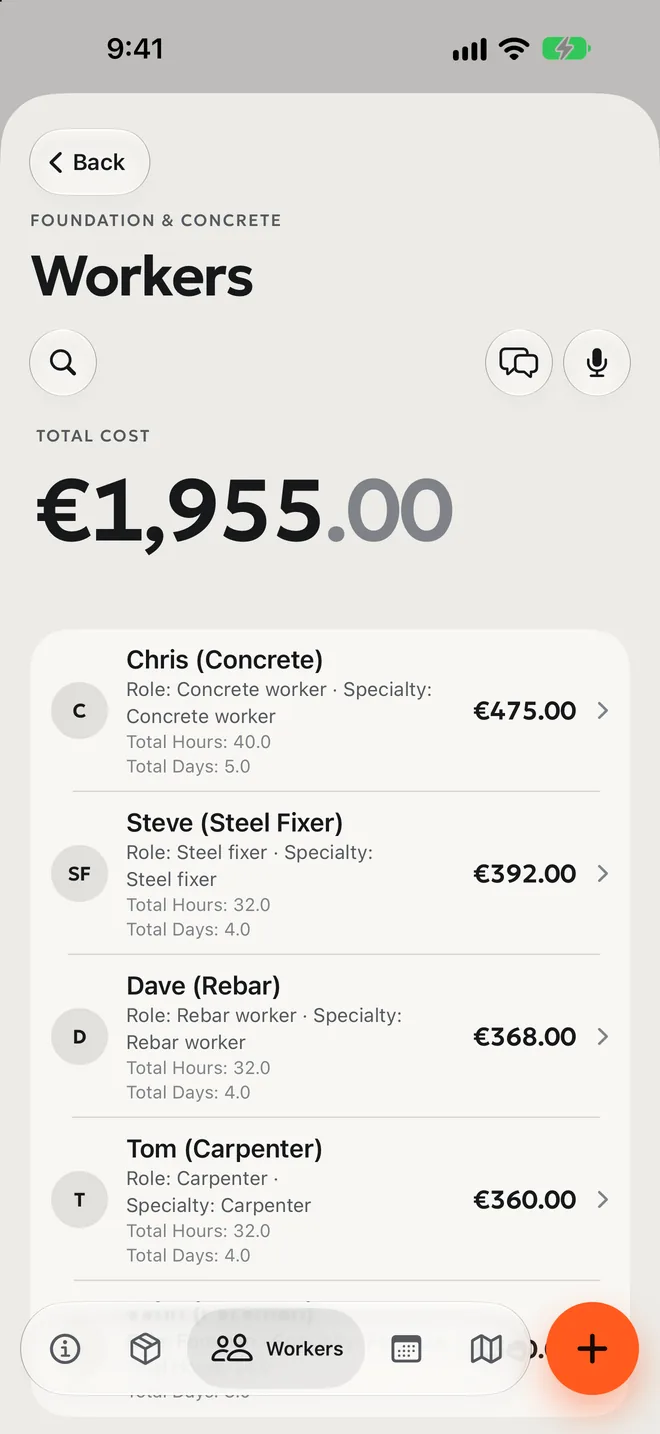
- Hourly: hours × hourly rate (for example, 32 hours × €12.25 = €392).
- Day rate: days on site × day rate (for example, 5 days × €95 = €475).
The hard part is not the maths. It is getting accurate hours, tied to the right task, every day, so the total updates while there is still time to act on it. A task that has used 80% of its labour budget at 50% progress is a warning you want on Wednesday, not after the invoice arrives.
GPS clock-in: what it solves, and what to watch
With GPS clock-in, workers start and stop their time on their phone, and the app records whether they were at the site when they did. It removes most of the end-of-week guessing and makes it obvious when someone clocked in from home.
It also involves location data, so be clear with your crew: tell them what is recorded, when (only while they are clocked in), who sees it, and why. Check the employment and privacy rules that apply where you work before you roll it out.
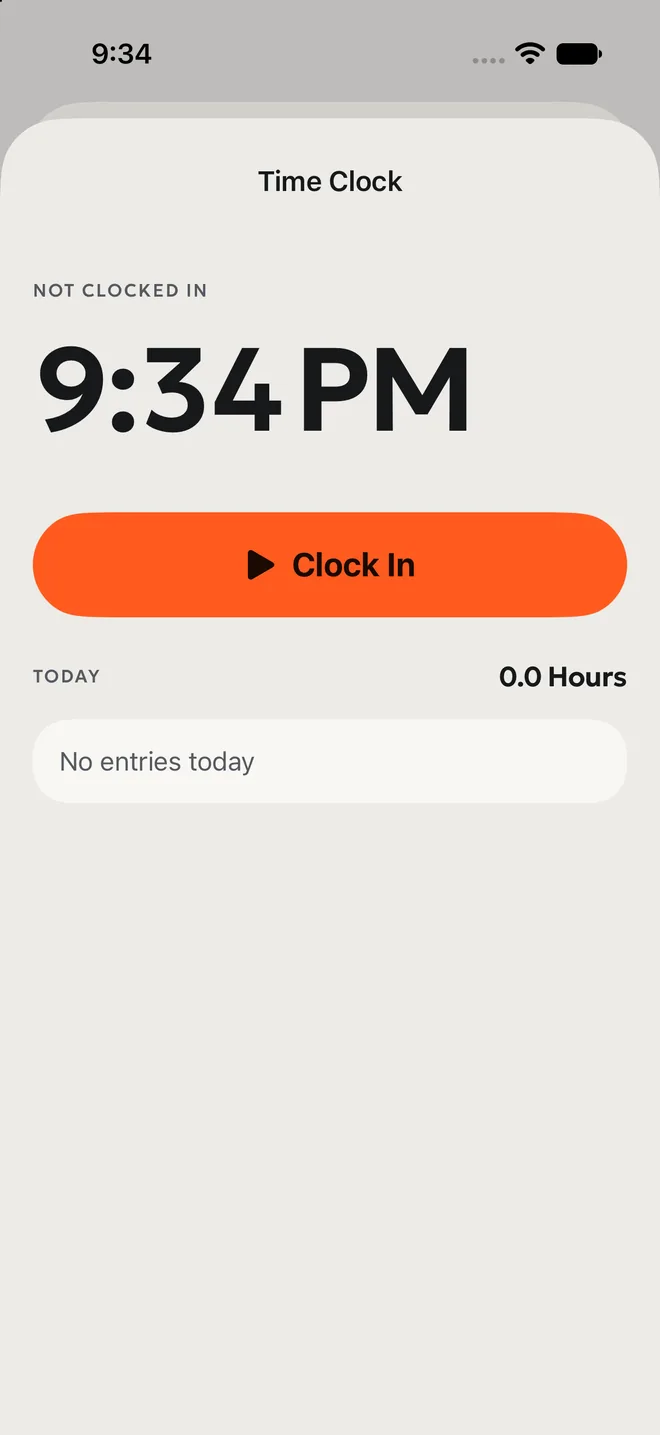
Approve timesheets every week
Set one fixed time each week, for example Monday morning, when the foreman or project manager reviews and approves the previous week's hours. Questions are answered while people still remember the days in question, and payroll starts from numbers someone has already checked.
How it works in PlanoTrak
PlanoTrak records crew hours where the work happens and turns them into labour cost automatically.
- GPS clock-in and out from the phone, with breaks, and a check that the worker is on site.
- Hours per worker and per task, for hourly or day-rate workers.
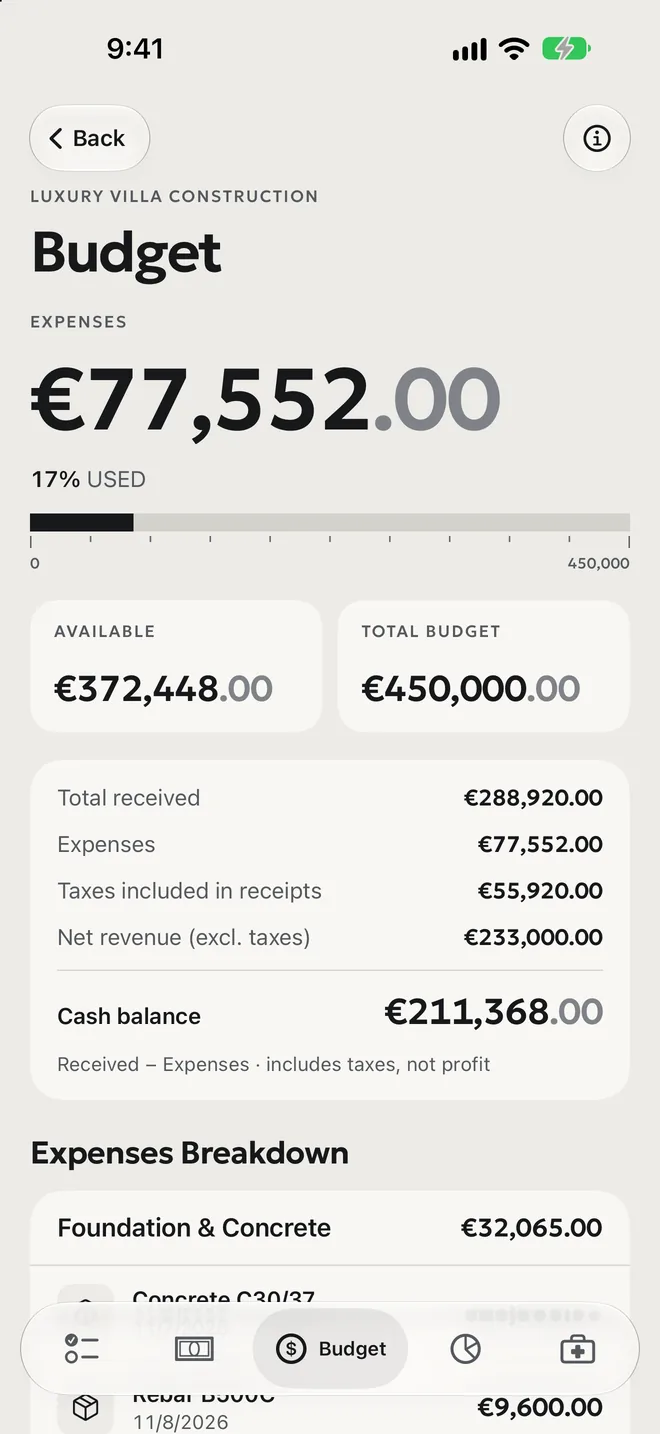
- Labour cost in the budget: the cost of logged hours is added to the project budget as it happens, next to materials and machinery.
- Timesheet approval for the foreman or project manager.
- Apple Watch for logging hours, and a live clock on the iPhone lock screen while a shift is running.
GPS clock-in and timesheets are part of the Premium and Enterprise plans. See the pricing page for details.
Tips for accurate timesheets
- Record time when it happens. Clock in on arrival, not at the end of the day.
- Always pick a task. "Project only" hours are useless for cost control.
- Agree the rules on breaks before the job starts, and apply them the same way to everyone.
- Approve weekly, not monthly. Small questions stay small.
- Compare labour cost with progress on each task, every week.
The Bottom Line
Accurate timesheets are not paperwork for its own sake. They are how you know what each task really costs while you can still do something about it. Record hours on site as they happen, tie them to tasks, approve them every week, and labour stops being the cost you only understand after the job is finished.
